You can make a spoof call online with nothing more than a browser and a headset. There's no app to install, no SIM card, and no softphone to configure. Open the dialer, type the number you want to show, type the number you want to call, and press Call. It takes about thirty seconds the first time.
This guide walks through it with screenshots, and covers the stuff people usually ask us about afterwards: what it costs, why a call might not go through, and how to check your microphone before you dial.
What you need before the first call
Three things, really:
- Some balance on your account. Calls are paid per minute from your euro balance. If you're new, top up first on the Recharge page.
- A working microphone. Chrome, Edge, Firefox and Safari will all ask for permission the first time. Click Allow. If you clicked Block by accident, open the little lock icon next to the address bar and switch the microphone back on.
- A headset, ideally. Laptop speakers work, but a headset stops the other person from hearing themselves echo back.
If you're not sure your audio works, press Test audio on the call page. It runs a short echo test, so you hear your own voice played back. It's free and takes a few seconds.
How to make the call, step by step
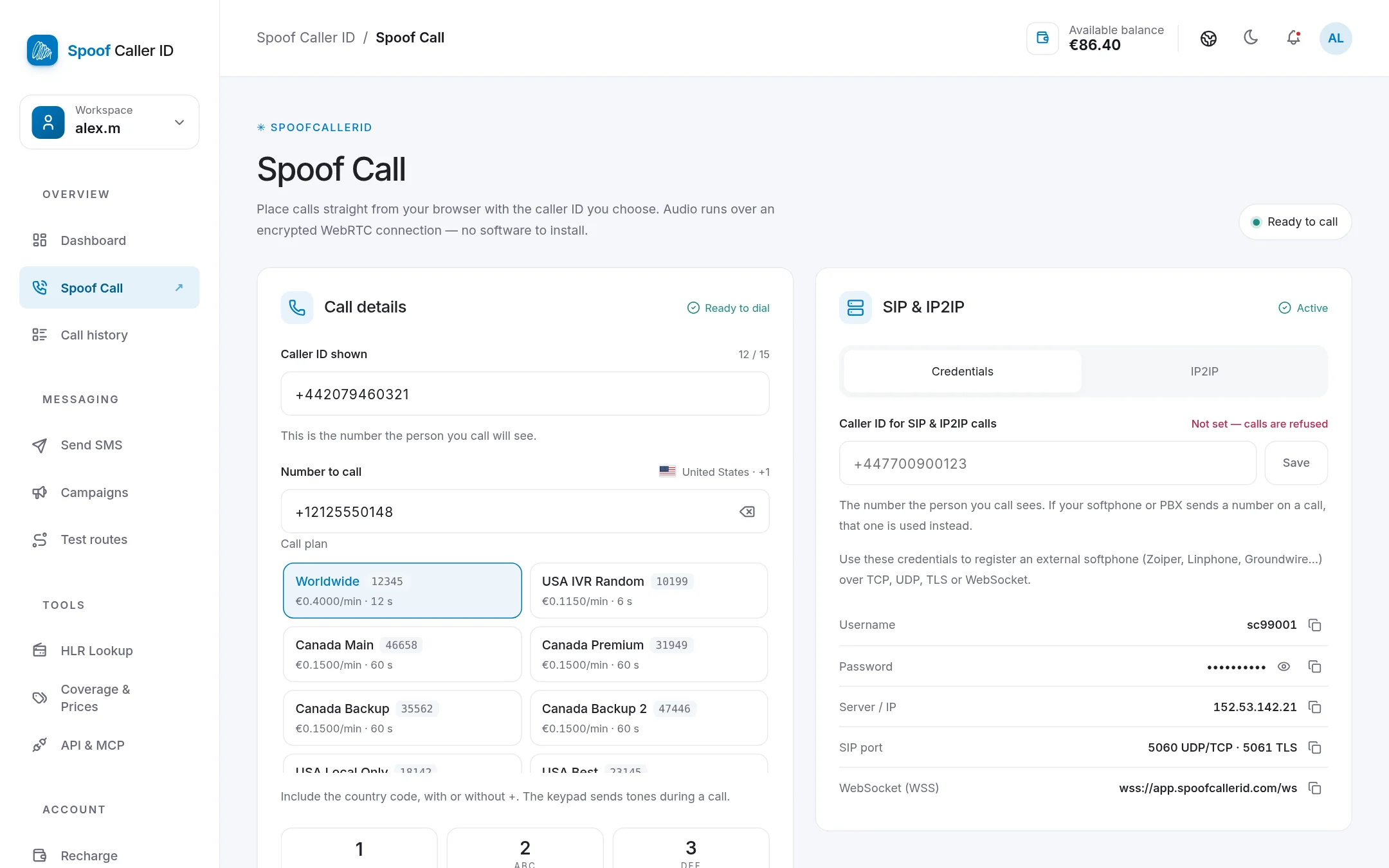
- Sign in and open Spoof Call in the sidebar. Wait until the badge in the top right says Ready to call. That means your browser line is registered.
- In Caller ID shown, type the number the other person should see on their phone. Use the full international format, for example
+44 20 7946 0321.
- In Number to call, type the destination with its country code. The page detects the country and shows a flag next to it, so you know straight away whether you typed the right prefix.
- Pick a call plan. Each plan shows its price per minute for that destination and its billing increment, so you can see what a minute will cost before you dial.
- Press Call.
On the right, the live panel follows the call as it happens: calling, ringing, then connected, with a timer and the cost so far. You can mute yourself, and the keypad sends tones, which is handy when you hit a "press 1 for…" menu.
How much does a browser spoof call cost?
You pay per minute at the destination's rate, nothing per call. Each destination has its own billing increment: some countries bill per full minute, others per 6 or 12 seconds. Both are shown on the plan button before you call, and the full list is under Coverage & Prices.
If nobody picks up, you pay nothing. Calls that are busy or unanswered show €0.00 in your history.
Calls also need the monthly plan to be active. It starts on its own with your first top-up of €50 or more, and the billing guide explains how it works.
Checking your recent calls
Right under the dialer there's a Recent calls card. It refreshes by itself a few seconds after each call ends, so you'll see straight away whether the call was answered, how long it lasted and what it cost.
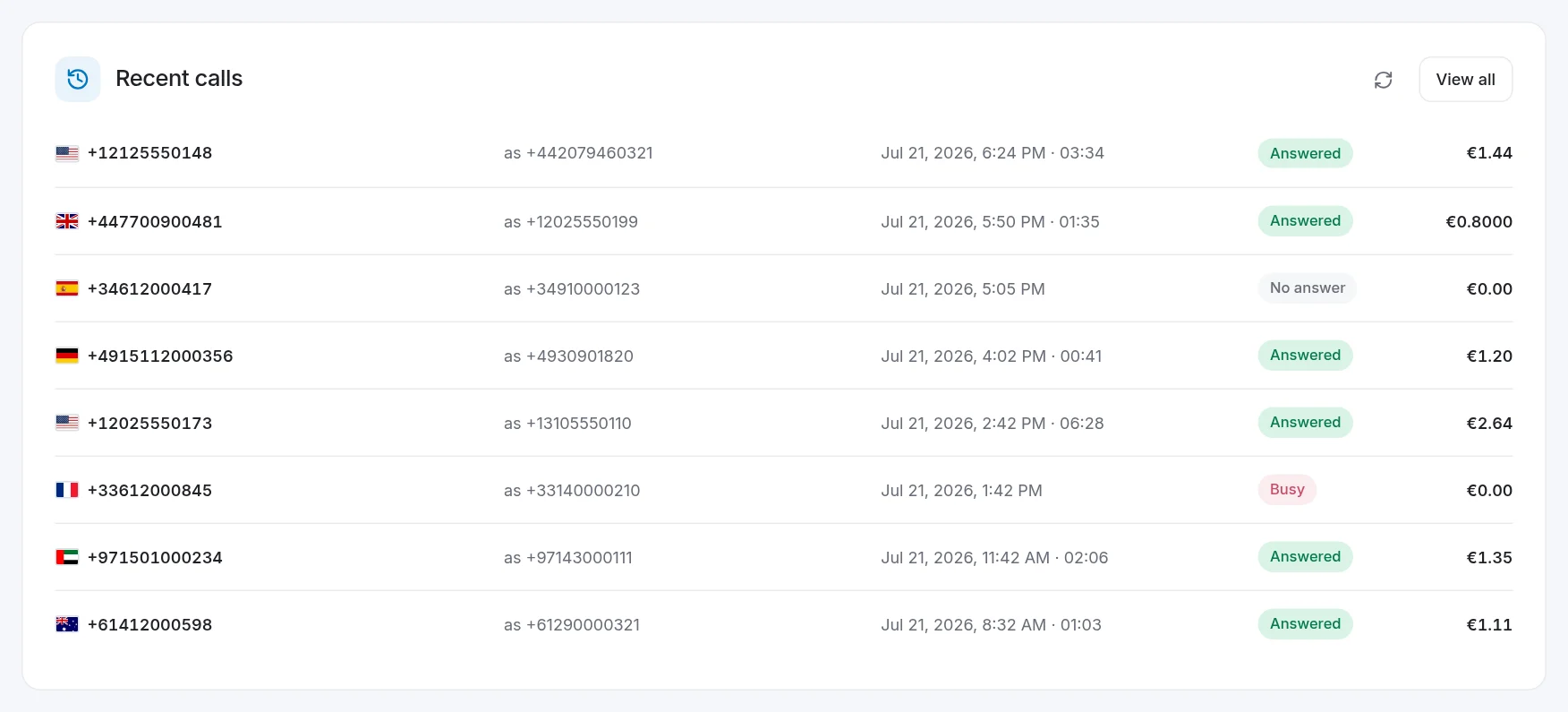
View all opens the full call history, where you can filter by date, status or line and export everything as CSV.
When a call doesn't go through
Most failed calls come down to one of these:
- "Line not ready yet." Your browser is still registering. Give it a couple of seconds, or reload the page if the badge stays grey.
- "Destination not available." The number's prefix isn't covered by the plan you picked. Try another plan, or double-check the country code.
- "Your balance is too low for this call." The page reserves a few minutes up front. Top up and try again.
- Microphone blocked. Allow it from the address bar and press Call again.
A word on using it responsibly
Showing a different number is legal in many countries for things like privacy or calling on behalf of a business, and illegal when it's used to defraud or harass someone. Laws differ by country, and you're responsible for the calls you make. Our Terms of Service spell out what isn't allowed.
FAQ
Do I need to download anything to make a spoof call?
No. Everything runs in the browser over an encrypted WebRTC connection. If you'd rather use a softphone or your own PBX, see our SIP and IP2IP setup guide.
Will the person I call see my real number?
No. They see the number you typed in Caller ID shown.
Can I record the call?
Calls placed through the API can be recorded for an extra €0.05. Check your local law first: in many places you need the other person's consent.
