"Why was I charged €2.64 for that call?" is a fair question, and you shouldn't have to open a support ticket to answer it. That's why every call you make, whether from the browser, a softphone or your PBX, ends up in one place with its duration, rate, billing increment and exact cost. In telecom terms that's your CDR (call detail record). In the app it's simply called Call history.
Where to find it
Click Call history in the sidebar, right under Spoof Call. You can also get there from the View all link on the Recent calls card of the call page.
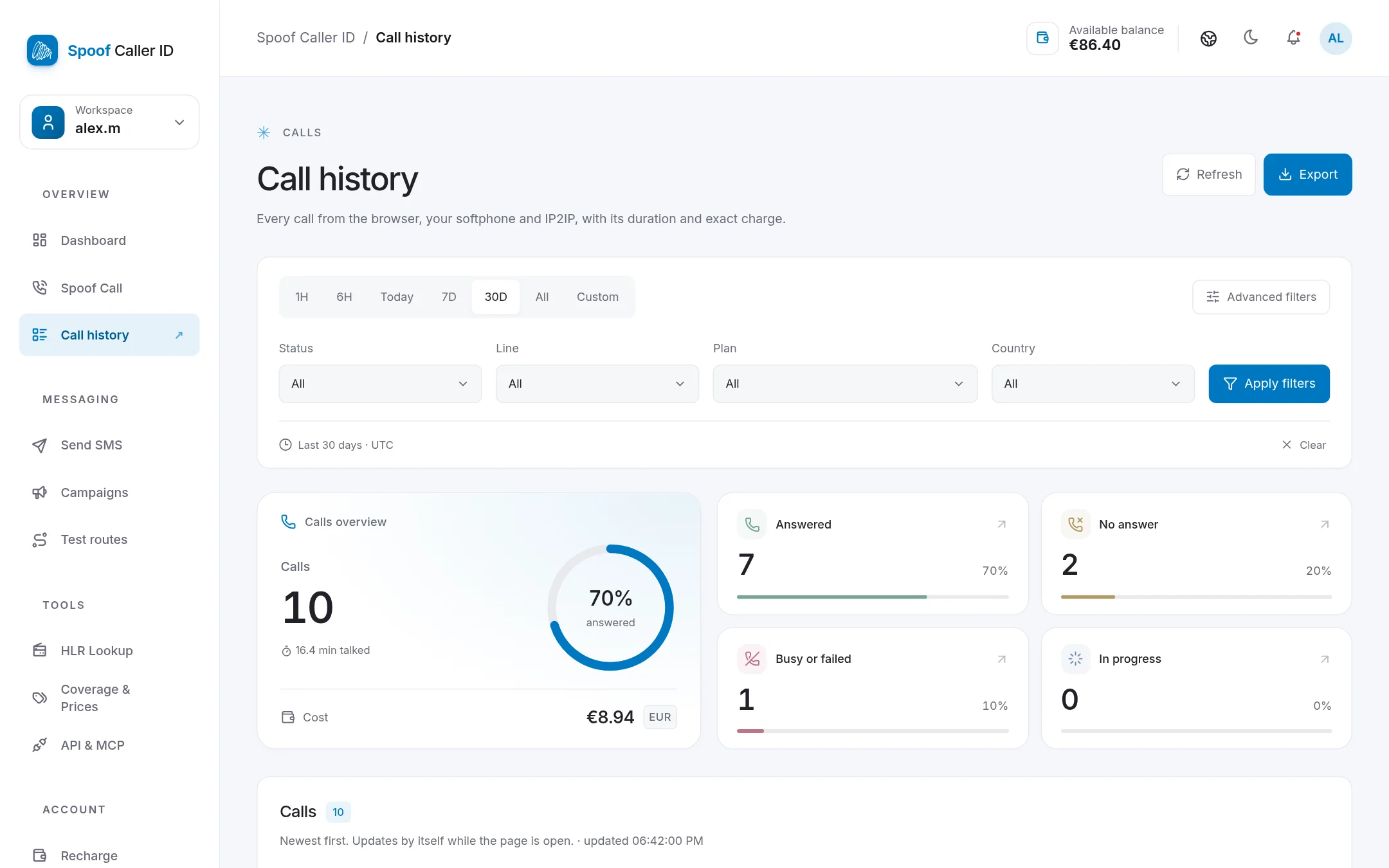
The overview at the top
Pick a period (1 hour, 6 hours, today, 7 days, 30 days, everything, or a custom range) and the overview fills in:
- how many calls you made and what share was answered,
- the minutes actually talked,
- what those calls cost in total,
- how many were answered, unanswered, busy or failed, or are still in progress.
It's a quick way to see how a day went. If your answer rate suddenly drops, it's usually worth checking the caller ID you're using or the destination list.
The call list
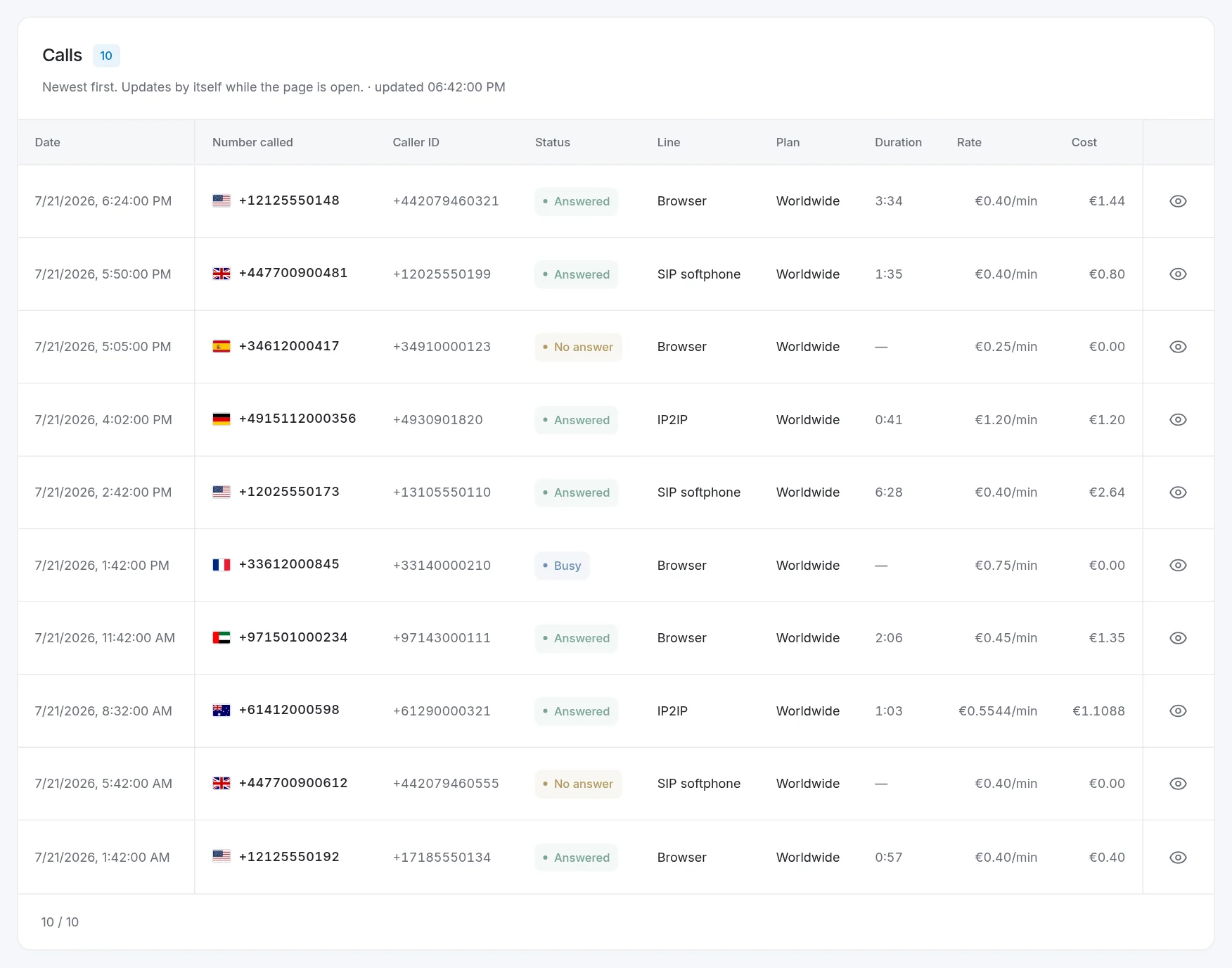
Below the overview, every call gets its own row, newest first:
- Date and Number called, with the country flag
- Caller ID shown on that call
- Status: answered, no answer, busy or failed, in progress
- Line: Browser, SIP softphone or IP2IP
- Plan, duration, rate and cost
The list updates by itself while the page is open, so you can leave it on a second screen during a busy session. Click the eye icon on any row to see everything about that call, including when it ended and its call ID. If you ever contact support about a specific call, that ID is what we'll ask for.
Filters
Use Status, Line, Plan and Country to narrow things down. A few combinations people use a lot:
- Answered + IP2IP + this month: what your PBX actually connected
- No answer + today: numbers to retry
- Country = Germany: what a single destination is costing you
Exporting your CDRs
Press Export to download the calls that match your current filters as CSV or TXT. Presets pick the columns for you:
- Numbers: just the numbers, ready for a retry list
- Billing: date, duration, rate and cost, for your accounting
- All: every column
CSV opens straight in Excel, Google Sheets or Numbers.
How a call's cost is calculated
Each destination has a rate per minute and a billing increment, written as two numbers such as 60/60 or 12/12.
- 60/60: billed per started minute. A 1:35 call counts as 2 minutes.
- 12/12: billed in 12-second steps. A 3:34 call (214 seconds) counts as 216 seconds.
Take the first row in the screenshot: a US call at €0.40/min with 12/12 billing, lasting 3:34. That's 216 billed seconds, or 3.6 minutes × €0.40 = €1.44. Unanswered and busy calls cost nothing.
Rates and increments for every country are listed on Coverage & Prices.
FAQ
How far back does the call history go?
All the way to your first call. Choose All in the period selector.
Do calls from my softphone and PBX show up too?
Yes. Every line shows up here: browser, SIP softphone and IP2IP. The Line column tells them apart. The setup guide is here.
Why does a call show €0.00?
It wasn't answered, was busy, or failed before connecting. You only pay for connected time.
